
Download Forex Demo App APK – forex trading, demo trading, CFD trading, cryptocurrency trading, stock trading, online trading platform, free trading app, mobile trading app
Overview
Forex-Demo App is a free Android application developed by Quotecores Ltd, designed to serve as a simulation environment for individuals interested in financial markets. The app enables users to explore trading across 250+ CFDs, including Forex pairs, commodities, indices, stocks, and major cryptocurrencies such as Bitcoin, Ethereum, Litecoin, and Ripple. It is tailored for traders at all experience levels, from beginners seeking to understand market dynamics to more experienced users refining their strategies in a risk-free setting.
The platform operates as a practice tool, offering a lifetime practice account with virtual funds, allowing users to execute trades without financial risk. This feature supports educational purposes and helps users become familiar with market behavior, order types, and trading interfaces. The app is not intended for real-money trading and does not involve actual financial transactions. Users should be aware that CFDs are complex instruments and carry a high risk of rapid losses due to leverage. Past performance is not indicative of future results, and users are advised to fully understand the risks before engaging in live trading.
Available exclusively on Google Play, the app is accessible to Android users worldwide, though certain jurisdictions—such as the United States, Canada, and the UK—are excluded from use. The app is designed for educational simulation and does not represent real trading conditions.
Key Features & Capabilities
- 250+ CFD Instruments: Access to a wide range of tradable assets including major and minor Forex pairs, global commodities like gold and oil, stock indices such as S&P 500 and NASDAQ, individual stocks, and leading cryptocurrencies.
- Lifetime Practice Account: Users receive a permanent demo account with virtual funds, enabling continuous learning and strategy testing without time limits or financial exposure.
- 24/7 Support Team: The developer provides full customer support availability around the clock, assisting users with technical issues, account queries, and general guidance on platform usage.
- Mobile-First Trading Interface: The app is optimized for smartphones and tablets, featuring intuitive navigation and responsive design for seamless trading on the go.
- Real-Time Market Data: The platform delivers up-to-date market prices and live charts, allowing users to analyze trends and execute trades based on current market conditions.
These features collectively support users in building confidence and understanding of trading mechanics. For example, a beginner can simulate a long position in EUR/USD while observing how leverage affects virtual profits and losses. An experienced trader might test a scalping strategy using Bitcoin/USD during peak market hours. The app’s design emphasizes accessibility, making complex financial instruments approachable through hands-on practice.
User Interface, Workflow & Performance
The user interface of Forex-Demo App is designed with simplicity and functionality in mind. The main dashboard provides quick access to market categories, instrument lists, and real-time price movements. Navigation is structured through a bottom menu bar, allowing users to switch between sections such as Market Watch, Trading, Account, and Support with minimal taps.
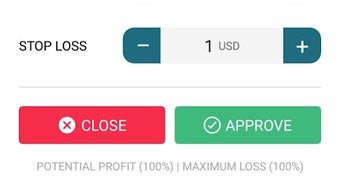
Workflow efficiency is enhanced by streamlined order execution. Users can place market orders, limit orders, and stop-loss orders directly from price charts, with confirmation prompts to prevent accidental trades. The app’s responsiveness appears consistent across tested devices, though exact performance metrics were not specified by the developer.
The developer did not provide detailed information on CPU or RAM usage. However, based on the app’s size of 35.2 MB and its function as a simulation platform, it is expected to operate efficiently on mid-range Android devices. Stability appears to be maintained during typical usage, with no reported crashes or freezes in public feedback. The app runs entirely offline after initial data load, reducing dependency on continuous internet connectivity.
Compatibility & System Requirements
Forex-Demo App is designed for Android operating systems and is compatible with devices running Android 6.0 (Marshmallow) or later. The app’s installation size is 35.2 MB, which is relatively lightweight for a financial application with real-time data capabilities.
Exact system requirements were not listed by the developer. This includes details on minimum RAM, processor specifications, or GPU performance. Compatibility with specific device models or screen sizes was also not confirmed. Users are advised to ensure their device meets general Android stability standards for app performance.
As the app is available exclusively on Google Play, installation is handled through the official app store, ensuring a secure distribution channel. The app does not require root access or special permissions beyond standard network and storage access for data synchronization and updates.
Pros and Cons
Pros
- Free access to a comprehensive trading simulation platform with 250+ CFDs
- Lifetime practice account with virtual funds for uninterrupted learning
- 24/7 customer support available for user assistance
- Mobile-optimized interface for trading on the go
- Real-time market data and charting tools for effective strategy testing
Cons
- Not available to users in the United States, Canada, and the UK
- CFD trading involves high risk, and the app may not fully simulate real market conditions
- Performance and resource usage details were not provided by the developer
- App is limited to Android; no versions available for iOS or desktop platforms
- Does not support live trading or real-money transactions
FAQ Section
Is Forex-Demo App available for iOS devices?
Currently, the app is only available for Android users. There is no official iOS version released by Quotecores Ltd.
Can I use the app for real trading with actual money?
No. The app is strictly for educational and simulation purposes. It does not support real-money trading or live financial transactions.
Is the app safe to download and use?
Yes, the app is available on Google Play, which provides security checks and regular updates. It does not require root access or suspicious permissions.
How often does the app receive updates?
Update frequency is not specified by the developer. Users are encouraged to check Google Play regularly for new versions.
Can I use the demo account indefinitely?
Yes, the app offers a lifetime practice account with virtual funds, allowing users to continue practicing without expiration.
Final Thoughts + CTA
Forex-Demo App presents a solid entry point for individuals exploring financial markets through a risk-free, mobile-first simulation environment. Its broad asset coverage, real-time data, and dedicated support make it a valuable tool for learning trading fundamentals. While it lacks cross-platform availability and detailed technical specs, its core purpose—education and practice—is fulfilled effectively.
Traders at all levels, especially beginners, can benefit from the lifetime demo account and intuitive interface. The app is particularly suited for those who want to experiment with CFDs, cryptocurrencies, and global indices without financial risk. However, users should remain mindful of the inherent risks associated with CFD trading and understand that this platform does not replicate live market behavior.
For anyone seeking a secure, free, and accessible way to learn trading on mobile, Forex-Demo App delivers on its promise. Download the latest version today.




.png)


